
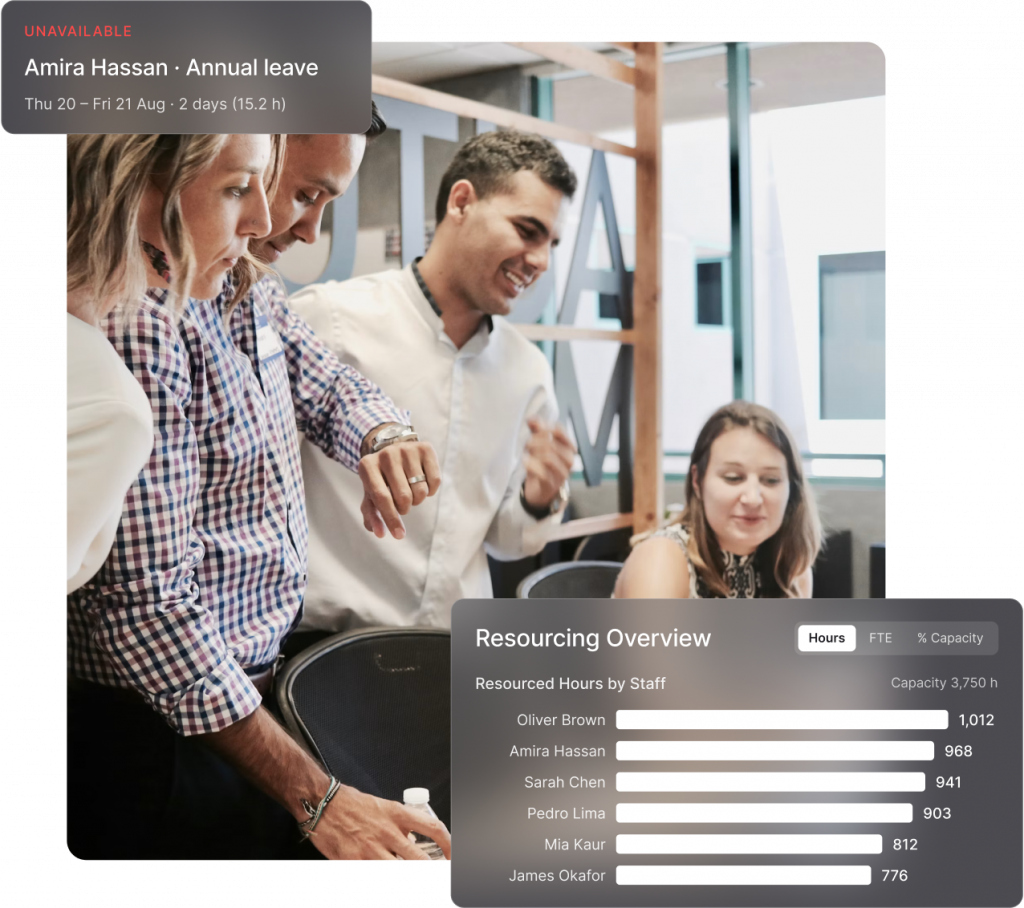
From planning projects to managing delivery, Total Synergy helps you allocate resources efficiently. Match roles to stages, track staff availability, and assign the perfect person for every task. Plan project schedules around how the project lifecycle actually unfolds rather than flattening everything into generic task management.


Comprehensive project management that adapts to your practice’s unique needs

Get an instant overview of team capacity to ensure resources are assigned properly and resource allocation reflects reality. Plus, real-time visibility helps project managers make quick adjustments to prevent overloads. Because resource scheduling sits in the same platform as your project budgets and timesheets, what you plan and what actually happens stay connected. No exporting to a spreadsheet, no reconciling three versions of the truth.
Zero in on exactly what you need with project-level and role-based filtering to mitigate scope creep. Quickly identify gaps, overbooked resources, or unassigned tasks to keep your team running smoothly.


Get a real-time view of your practice’s overall capacity and identify gaps or bottlenecks. Make decisions with confidence knowing your team has the resources to deliver. Because resource planning and project accounting live in one system, you can see the line between how you staff work and how it lands financially.

Discover additional features that expand Total Synergy’s capabilities for architecture and engineering firms.
Insights
Advanced dashboards and reports, helping you make data-driven decisions.
Learn More
Premium API
Seamless integrations with your existing tools using a powerful API.
Learn More
Synergy PIM
Centralised management for all your project documents and emails.
Learn More
Synergy HR
Simplified staff management for availability, skills, and leave tracking.
Learn More
Synergy CRM
Organised tracking for client interactions, leads, and opportunities.
Learn More
Double invoicing capacity
Time saved on invoicing
Saved on projects per week
18k+
Global A&E users
Our experienced team is here to guide you through how Total Synergy can transform how you manage projects.
Take the first step toward transforming your practice. In just one demo, our team will show you how Total Synergy simplifies project management, project finances, and project analytics for over 18,000 A&E professionals.

OLIVIA HAMILTON, OFFICE MANAGER
LAB-WORKS ARCHITECTURE
From project management to financial clarity, explore the tools and insights that empower A&E firms to operate seamlessly and profitably.
Insights and Strategies for Optimizing Your A&E Projects
Discover articles and expert tips on enhancing project management, resource allocation, and financial oversight.
Read Our Blog
Exceptional Support for Seamless Project Management
Find out how our support team ensures your firm leverages Synergy to its fullest potential, from onboarding to ongoing assistance.
Get 24/7 Support
Solutions Built for the Unique Needs of A&E Firms
Explore how Synergy’s tools are tailored to meet the specific requirements of architecture and engineering practices.
For Architects
For Engineers
Resource planning software, sometimes called resource management or resource allocation software, gives practice leaders visibility into who’s working on what, how much capacity each person has left, and where conflicts are building. For architecture firms and engineering practices juggling multiple concurrent projects, it replaces guesswork and gut feel with an actual picture of team workload across the project lifecycle.
Total Synergy displays staff allocation across all active projects in one view, so you can see at a glance who’s overcommitted and who has room to take on more. Capacity graphs and dashboards roll that up to practice level. This makes it possible to staff a new project properly instead of defaulting to whoever answered the email first.
In practice these terms get used interchangeably. Resource scheduling usually refers to the day to day mechanics of assigning people to work. Resource planning takes a longer view, factoring in pipeline, leave and project schedules. Resource management is the broadest term and often includes skills, qualifications and utilisation rates. Total Synergy covers all three in one platform rather than splitting them across tools.
Yes. Total Synergy lets you factor pipeline and upcoming projects into your capacity view, not just active work, so you can see whether your team has the bandwidth to take on a new commission before you commit to it. This is particularly useful when weighing up whether to pursue an opportunity, and it’s where most dedicated resource scheduling tools stop short.
Matching the right person to the right project, at the right rate, is one of the biggest levers on resource utilisation and, in turn, profitability. Overallocating junior staff or leaving senior staff underused both quietly erode margin, and on fixed-fee work there’s nowhere to recover it. Because resource planning connects to project budgets and project accounting in Total Synergy, you can see the financial consequence of staffing decisions project by project, not just in hindsight.
When a firm doesn’t know who’s doing what, good people quietly end up overworked while others sit underutilised. Total Synergy surfaces allocation conflicts before they happen, so team leads can rebalance workloads proactively rather than reacting once someone is already stretched too thin.
Tools like Asana, monday.com, Wrike and Scoro handle task management well, but they were built for generic professional services firms and have no concept of design stages, consultant coordination, fee variations or utilisation reporting. You end up rebuilding your practice’s logic inside a tool that doesn’t understand it, then exporting to spreadsheets for anything financial. Project management software for architects needs to understand how A&E work is scoped, staffed and billed from the start.
Deltek and Deltek Ajera lean toward large practices with complex ERP and project accounting requirements, which usually means longer implementations. BQE Core is strong on billing, QuickBooks integration, and time tracking. Total Synergy is built for practices of 10+ staff that want project management, resource planning and financial management in one place without an enterprise rollout. Detailed comparisons are available for Deltek and BQE.
Simplify Product Delivery
Reduce Project Risk
Win the Right Projects
Receive 24/7 Support
Produce Budgets & Quotes
Make budgeting and quoting easier, more accurate, and less stressful.
Manage Projects
Track Time
Track time effortlessly, stay on budget, and improve billing accuracy at every project phase.
Allocate Resources
Easily see who’s working on what, their availability, and how to best balance workloads.
Process Invoices
Get invoices out faster, reduce delays, and keep cash flowing with clear project finances.
Track Finances
Make budgeting and quoting easier, more accurate, and less stressful.
Decide with Data
Make smarter decisions with real-time dashboards and reports.
Forecast Revenue
Gain crystal-clear visibility into your future revenue, project profitability, and resource needs.
Apply Document Control
Centralize your project information for seamless collaboration, better control, and fewer headaches.