

UPDATE — Work breakdown
The project work breakdown in an integral part of Synergy and a heavily used one. In this release, we’ve update the user interface (UI) to simplify how you use it.
These UI enhancements include:
- Hover and reveal — now, most of the controls for each row (phase, stage, task) are hidden until you hover over the row. This makes it easier to read the information you need quickly.
- Simpler stage sorting — move stages/tasks up or down line-by-line with click arrows on the left of the row. To sort with drag and drop, go to the work breakdown sorting options. This enhancement also improves speed of page load and how quickly the controls respond.
Read the knowledge base articles to read about all the changes we made to the work breakdown. Login to Synergy and go to ‘get help’ to see more.
UPDATE — Project schedule
A small but significant update is in the project schedule. Tasks now have a sidebar with a date picker that allows you to add start and end dates to your tasks on the schedule page. All tasks need start and end dates if you’re to take advantage of the powerful project performance measurement features. Now, you no longer have to drill-in to the project set up page to add these dates.
UPDATE — Run reports in the background
If you export or print reports, you’ll love what we’ve done in the reporting page. You can now export a report in the background, leaving you free to do other things in Synergy.
We’ve also added a progress bar dialogue box that remains visible showing how far the report has progressed. Once complete, you can click a link to download the report from this dialogue box.
You will receive email notifications when reports are ready. Manage your notifications in settings.
UPDATE — Staff folder security
We updated the security settings in the staff documents folder. Users with system administrator and director access can see all the folders and files in the staff folder. Project manager and assistant project manager users only have access to their temporary files folder.
UPDATE — Performance improvements
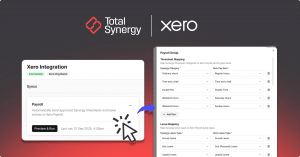
Our developer team has been working hard to improve performance across the application. In particular, you’ll see performance improvements in accounting add-on connections (Xero, QBO, MYOB ARL).
You’ll see performance improvements in creating and submitting invoices.
Head over to the knowledge base to see the full release notes (Synergy login required). Or if you want to try Synergy, start a 30-day free trial (no credit card required) or get in touch.