
Discover how easy it is to use Synergy to manage your business and projects
Scroll through our walkthrough below with either your mouse or touchpad at your own pace to experience the process of setting up a project, or if you prefer, you can watch the video.
Discover how easy it is to use Synergy to manage your business and projects.
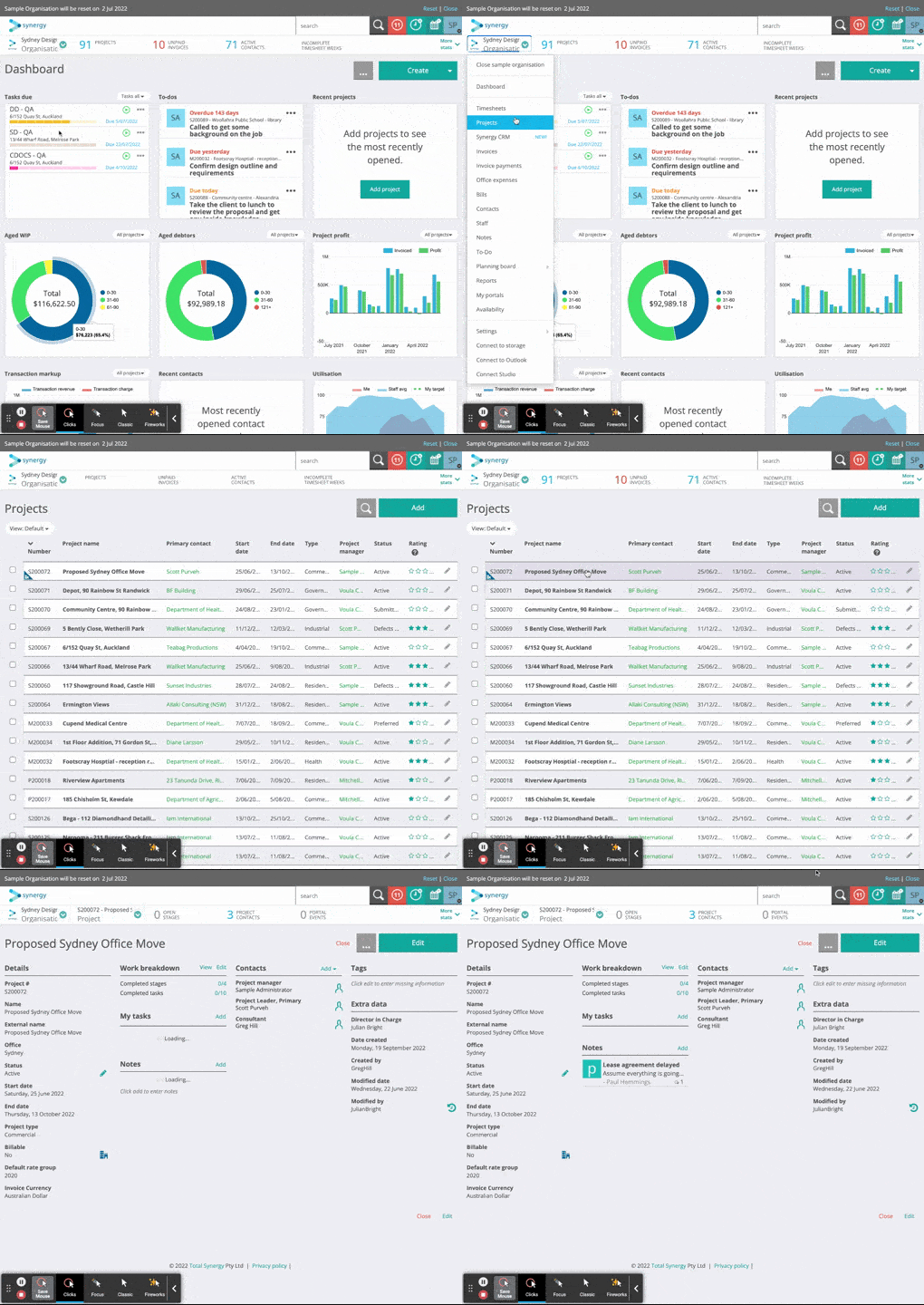
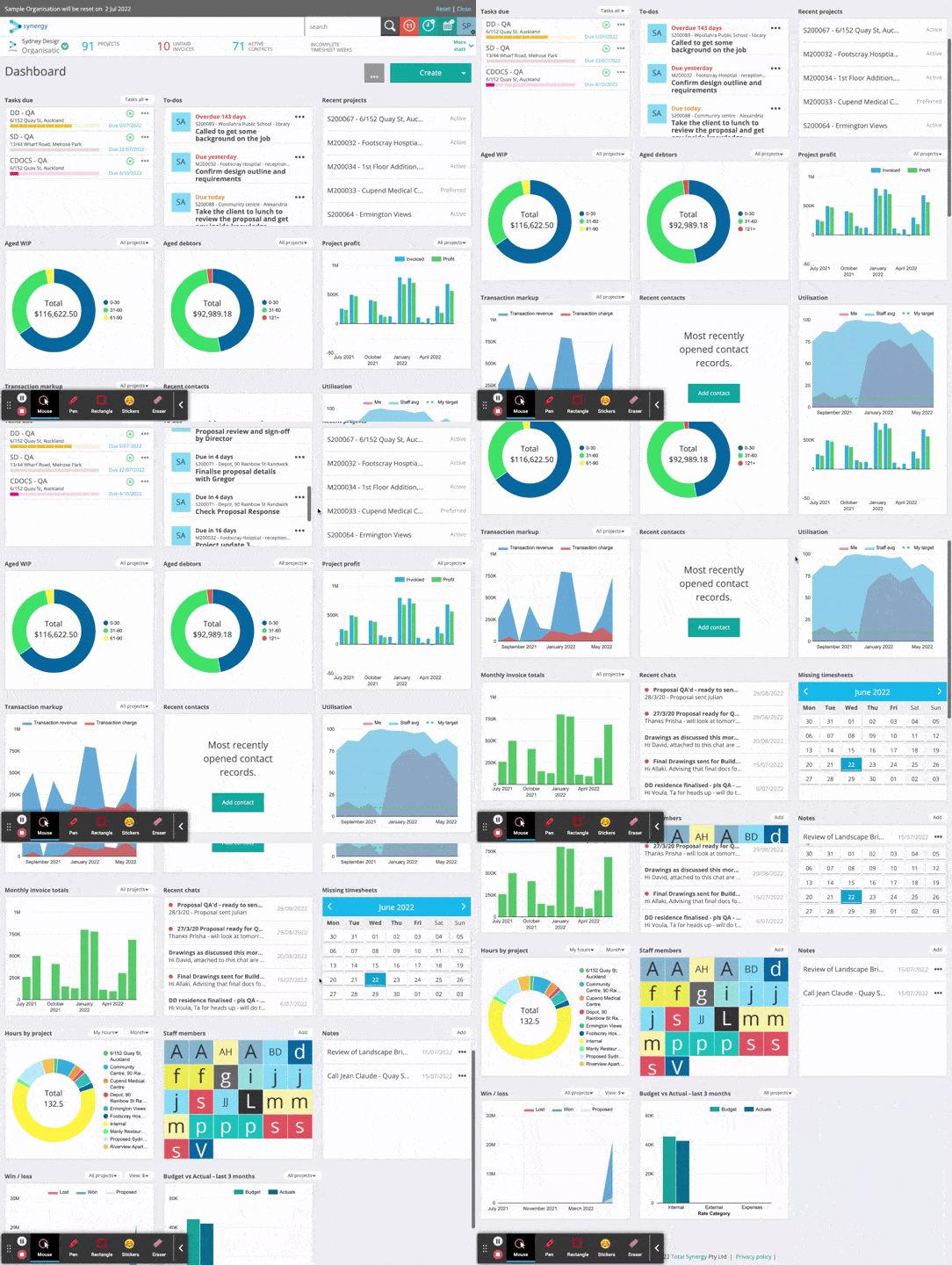
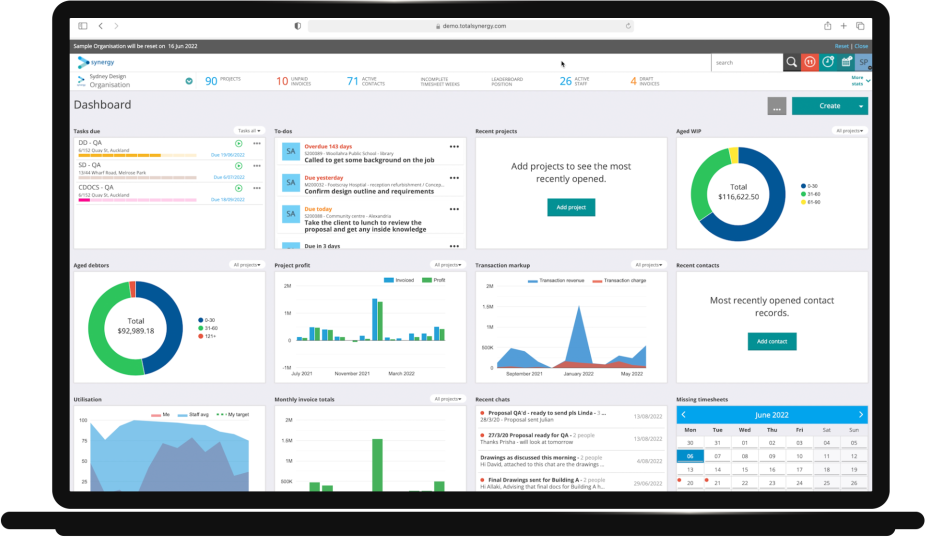
There are a few different ways to create a project, but the easiest is to select ‘Create’ on the dashboard.
It’s time to get your work done faster
Enter the name of your project.
Select the office (if there are multiple).
Select the status of the project and the project type.
Select the rate group.
Select the start and end dates of the project.
You can add a scope of work now or later.
Then select your appropriate project template which contains all of your project stages.
Choose the right people for the job
Choose your project manager.
Select your primary contact.
Ensure the currency is correct.
Enter the site address.
Add any relevant tags to make it easier to find and categorise your projects.
If you have any extra data in your template it will appear here. In this case, adding a Director in Charge.
When you’re finished inputing all of your fields, click ‘Save’.
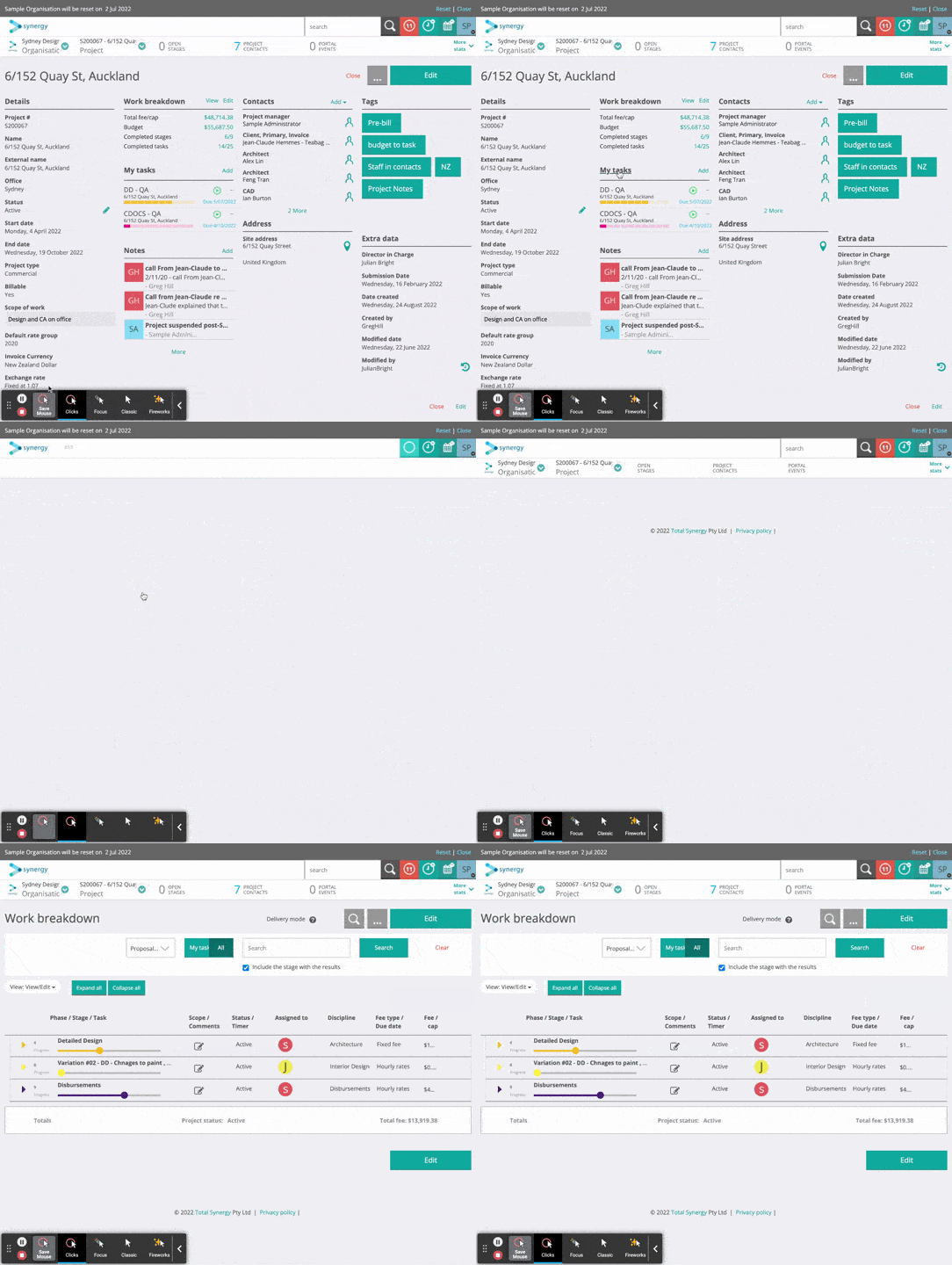
You can now see an overview of the project.
Click ‘Edit’ to view the Work breakdown.
The work stages are dictated by the template chosen when creating the project.
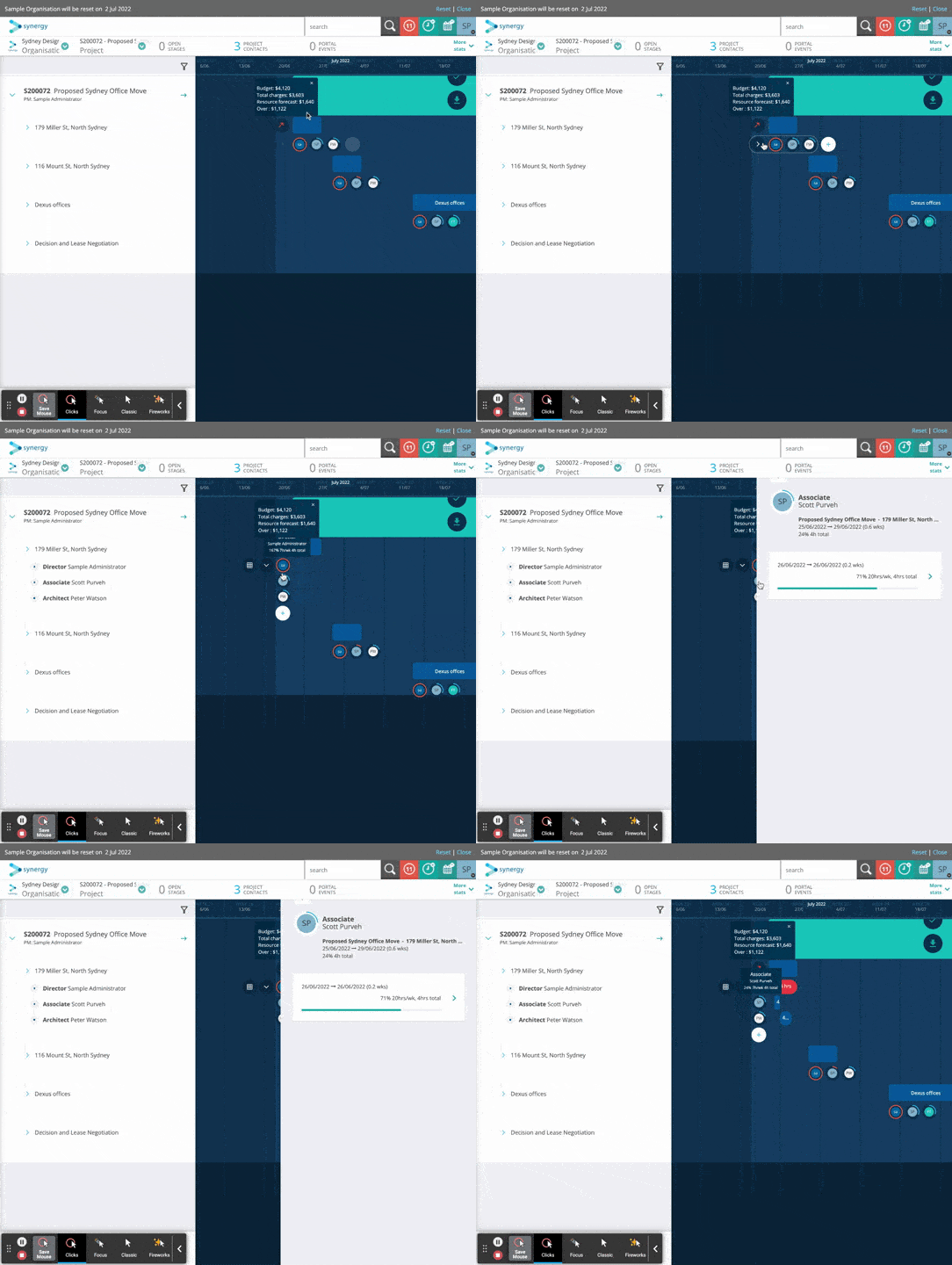
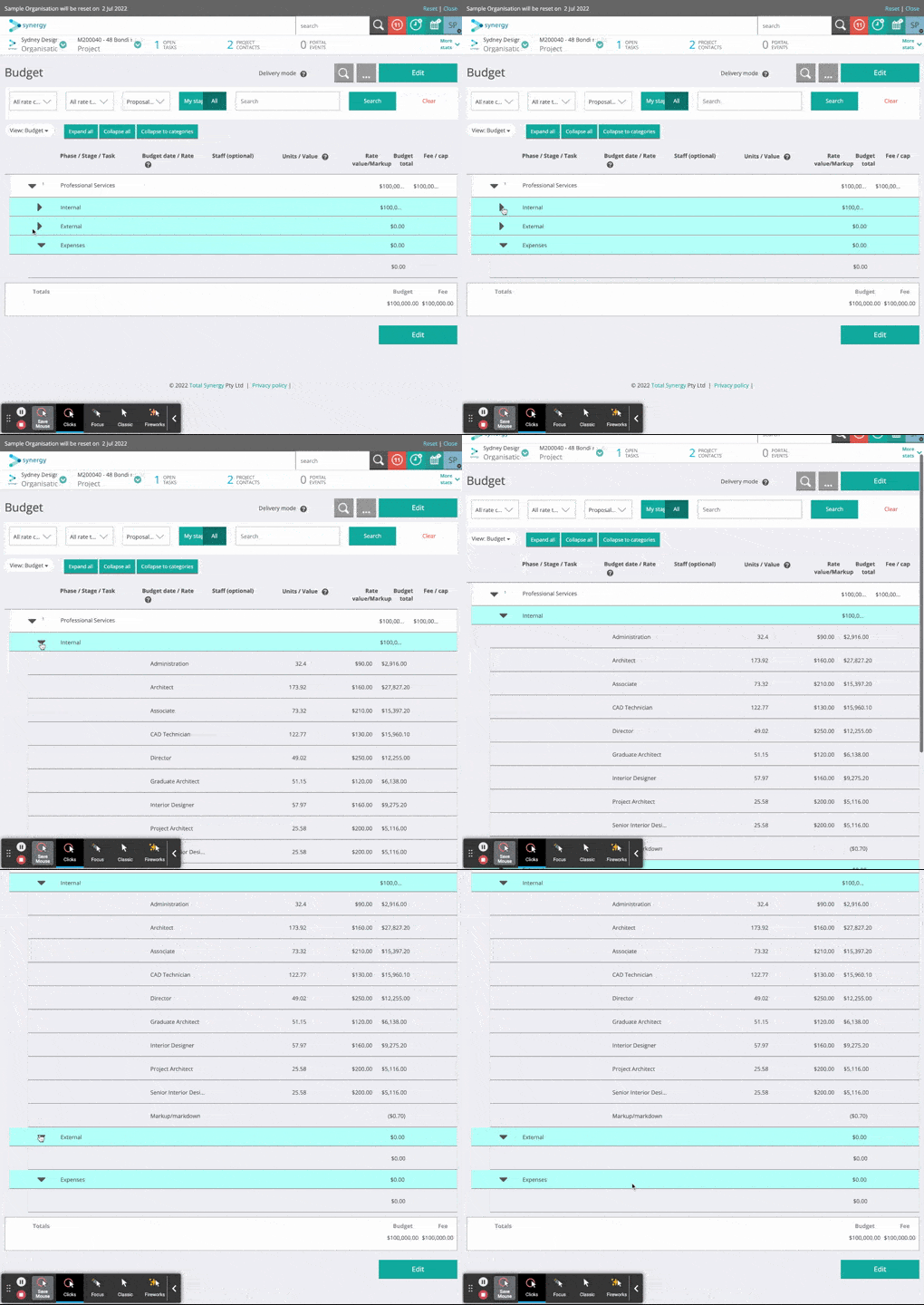
You can now assign Stages and Tasks to staff, add your fees and update the progress of your project.
Now your project is ready to take flight
Synergy gives you #MoreTimeForDesign

To find out more and discover the complete project workflow talk to us for a demo.

Deliver every project on time and budget with Synergy
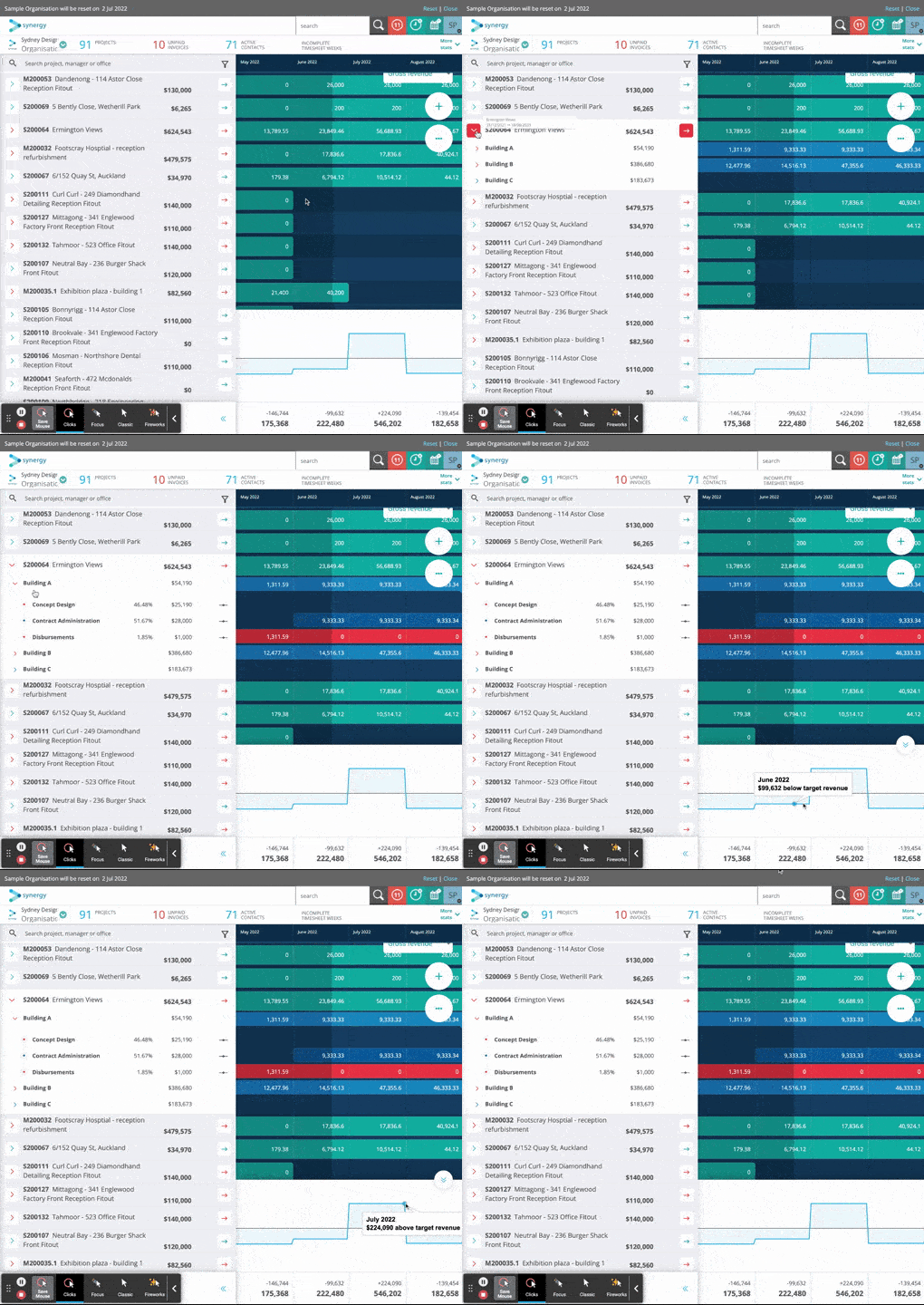
Know exactly how projects are tracking at every stage. Monitor time against headway on site, manhours against availability, expenditure against estimates, all while keeping everyone aligned and focused.
"There’s lots of different project management type software out there, but we use the flexibility of Synergy to see an incredible level of detail or just as a broad-brush view — that side of it is really easy and user-friendly. It fits into the industry that we’re working in."
“You can track business and projects a lot more easily with Synergy. Even though we’ve got very different sizes of contracts, we can now keep a track of them all in a single, central location.”
“We have so many active projects going on, but they’re all at different stages of completion. Synergy enables us to ‘fly low’ and see how individual projects are progressing, but also hover up a level and see how things are going in a more macro sense.”
See how we can centralise your data and simplify your workflows with our Add-ons.
get a demo
Talk to Our A&E Project Experts Today
Our experienced team is here to guide you through how Total Synergy can transform your project management approach.
Take the first step toward transforming your practice. In just one demo, our team will show you how Total Synergy simplifies project management, project finances, and project analytics for over 15,000 A&E professionals.
Julian
Leonard
Hetty
Harrison
Let’s Get Started with Your Personalized Demo
Why Total Synergy?
Simplify Product Delivery
Free Your Team to Focus On What They Do Best: Delivering Great Projects
Reduce Project Risk
Reduce Project Risk with Real-Time Financial Insights.
Win the Right Projects
Win Projects That Drive Profit and Avoid the Ones That Don’t.
Receive 24/7 Support
Expert A&E-Focused Support Whenever You Need It.
Solutions
Produce Budgets & Quotes
Make budgeting and quoting easier, more accurate, and less stressful.
Manage Projects
Stay organized, on time, and on budget with tools that drive project profitability and efficiency.
Track Time
Track time effortlessly, stay on budget, and improve billing accuracy at every project phase.
Allocate Resources
Easily see who’s working on what, their availability, and how to best balance workloads.
Process Invoices
Get invoices out faster, reduce delays, and keep cash flowing with clear project finances.
Track Finances
Make budgeting and quoting easier, more accurate, and less stressful.
Decide with Data
Make smarter decisions with real-time dashboards and reports.
Forecast Revenue
Gain crystal-clear visibility into your future revenue, project profitability, and resource needs.
Apply Document Control
Centralize your project information for seamless collaboration, better control, and fewer headaches.
Use Cases
By Practice
Architecture
Deliver Your Best Designs with Project Management Built for Architects
Engineering
Manage Engineering Projects with Precision and Clarity
By Role
Business Owner
Run a Smarter Practice with Less Stress
Finance Leader
Take Charge of Your Firm’s Financial Future with Confidence
Project Manager
Lead Projects Without the Stress
Operations
Simplify Your Operations for Unmatched Efficiency
Resources
Blog
Customer Stories
Webinars & Events
Guides
Videos
Integrations
Customer Support
About
About Us
Careers
Partners
Contact Us
Log In
Book a demo
Thank you
for signing up
You can now view the walkthrough on ‘How to create a project in Synergy’. We hope you enjoy it!
Please get in contact if you’d like to find out more about Synergy or book a free online demo.